
It doesn't matter how careful we are at maintaining our freezer book we find, after a while, it's not correct. That is, we check the Freezer book to find something nice for dinner then we go to our freezer only to find that it isn't actually there; very annoying but inevitable I suppose. When this happens we do a stock check.
A freezer book inventory print-out will help you with such a task. There are two ways to produce this:
Alt-P |
This shows you a Print Preview. If you go for this option you then have some reassurance that the print-out will look Ok. |
Ctrl-P |
This just goes ahead and prints it. |
The print preview looks something like this:
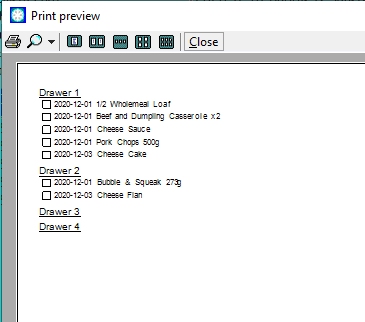
With the print-out in hand go through each drawer of your freezer and tick off each item in the check box on the print-out; or, of course, if you find something which you've forgotten to add to the freezer book you can just write it by the drawer number. Then, when you've completed the stock check, you can open the freezer book application and delete all of the items which haven't got ticks in their check boxes and add any forgotten items.
Click here to return to where you were.
Note. Where ever you see this symbolhover you mouse pointer over it to get more information.